

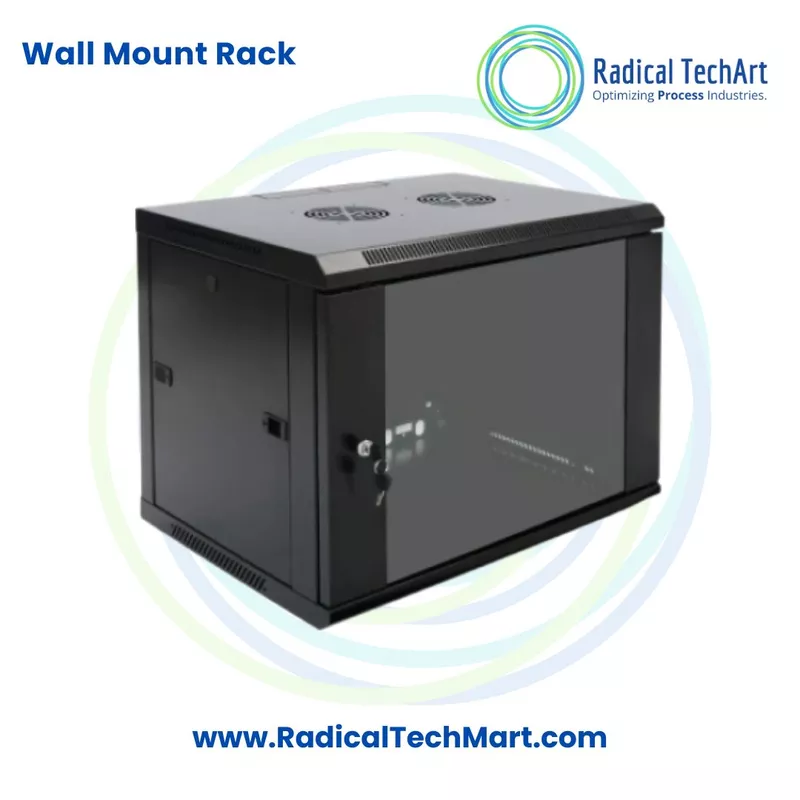
Wall-Mount Networking and Server Rack
The COSMIC Plus Wall-Mount Networking and Server Rack is a compact enclosure designed to organise and house networking equipment, switches, patch panels, communication devices and related accessories. Its wall-mounted construction helps conserve floor space while keeping equipment properly arranged and accessible for installation, inspection and maintenance. Multinet Systems offers wall-mount rack solutions from 3U to 15U, with customised size and colour options available according to application requirements.
Customize
Share :
A. Product Overview
The COSMIC Plus Wall-Mount Networking and Server Rack is designed for compact networking, communication and IT infrastructure installations. It provides a structured enclosure in which compatible rack-mounted equipment can be installed securely and systematically.
The rack can be used to accommodate equipment such as:
- Network switches
- Patch panels
- Routers and communication devices
- DVR and NVR systems
- Cable-management accessories
- Power distribution units
- Small servers and related IT equipment
Multinet Systems identifies networking and server racks as a solution for storing networking equipment and switches, particularly in data centres and server rooms. The wall-mount range is available from 3U to 15U, making it suitable for small and medium-sized installations where a full-size floor-mounted rack may not be required.
The wall-mounted format helps utilise vertical wall space and keeps equipment away from desks, floors and general working areas. Customised dimensions, colours and additional accessories may also be available according to the project requirement.
B. Working Principle
The COSMIC Plus Wall-Mount Networking and Server Rack is a passive equipment enclosure. It does not process data or control the network directly. Instead, it provides the physical mounting structure required to install and organise networking and communication equipment.
The rack works in the following manner:
- The enclosure is securely fixed to a suitable wall using the appropriate mounting arrangement.
- Compatible networking equipment is installed inside the rack according to its rack-unit size.
- Switches, patch panels, routers, DVRs, NVRs, power distribution units and other devices are mounted in an organised sequence.
- Network, power and communication cables are routed through the enclosure and arranged using suitable cable-management accessories.
- The installed equipment remains grouped in one defined location, making inspection, cable tracing, servicing and future expansion easier.
- The rack enclosure provides a structured installation area and helps reduce loose equipment and unorganised cabling around the workplace.
The rack size should be selected after considering the number of devices, total rack-unit requirement, equipment depth, cable space, ventilation requirement and expected future expansion.
C. Why It Is Used
1. To Save Floor Space
A wall-mounted rack uses available wall space and reduces the need for a separate floor-standing enclosure. This makes it suitable for compact offices, retail stores, control rooms and smaller server installations.
2. To Organise Networking Equipment
It provides a common mounting location for switches, patch panels, routers and other network components. This creates a cleaner and more systematic installation.
3. To Improve Cable Management
Networking installations may contain multiple data, communication and power cables. A rack helps route and arrange these cables more effectively.
4. To Protect Installed Equipment
The enclosure helps keep networking devices away from accidental contact, general workplace movement and loosely arranged installations.
5. To Simplify Maintenance
When all devices and connections are installed in one location, technicians can identify equipment, trace cables, perform maintenance and troubleshoot faults more efficiently.
6. To Support Professional IT Infrastructure
A properly selected rack provides a structured and professional installation for networking, CCTV, telecommunications and data-management equipment.
7. To Support Different Installation Capacities
The COSMIC Plus wall-mount rack range is available from 3U to 15U, allowing buyers to select a suitable capacity based on the number and size of the devices being installed.
D. Suitable Buyers
The COSMIC Plus Wall-Mount Networking and Server Rack is suitable for:
- Small and medium-sized businesses
- Corporate offices
- IT departments
- Data centres and server rooms
- CCTV installers and system integrators
- Network installation companies
- Internet service providers
- Telecom and communication contractors
- Schools, colleges and training institutes
- Hospitals, laboratories and diagnostic centres
- Banks and financial institutions
- Retail stores and shopping centres
- Hotels and commercial buildings
- Factories and industrial facilities
- Automation and control-panel integrators
- Security-system installers
- Government offices and public infrastructure projects
It is particularly useful for buyers who need a compact rack for a limited number of networking, communication or surveillance devices and do not require a large floor-standing enclosure.
Frequently Asked Questions
1. What is the COSMIC Plus Wall-Mount Networking and Server Rack?
The COSMIC Plus Wall-Mount Networking and Server Rack is a compact wall-mounted enclosure used to install, organise and manage networking, communication, server and CCTV-related equipment.
2. What equipment can be installed inside the rack?
Depending on the selected size and depth, the rack may be used for network switches, patch panels, routers, communication devices, DVRs, NVRs, power distribution units, cable managers, shelves and small server equipment.
3. What rack sizes are available?
Multinet Systems lists its wall-mount rack range from 3U to 15U. The appropriate size should be selected according to the total rack-unit requirement and the dimensions of the equipment.
4. What does U mean in a server rack?
U means rack unit. It is the standard measurement used to describe the vertical mounting capacity of a networking or server rack. Equipment such as switches and patch panels may occupy one or more rack units.
5. Where can a wall-mount rack be installed?
It can be installed in offices, server rooms, control rooms, CCTV rooms, retail stores, schools, hospitals, factories, commercial buildings and other locations where compact networking equipment must be organised.
6. What is the difference between a wall-mount rack and a floor-mount rack?
A wall-mount rack is attached to a wall and is generally used for smaller installations. A floor-mount rack stands on the floor and is normally selected for larger systems with more equipment, greater depth and higher capacity.
7. Is this rack suitable for CCTV systems?
Yes. A properly sized wall-mount rack can be used to organise DVRs, NVRs, network switches, patch panels, power distribution units and other CCTV-related equipment.
8. Can the rack be customised?
Multinet Systems states that its networking and server racks are available with customised size and colour options, along with additional accessories. Customisation should be confirmed according to the required quantity and application.
9. How should the correct rack size be selected?
The buyer should check:
- Total number of devices
- Rack-unit requirement
- Width and depth of each device
- Space required for cables
- Power distribution requirement
- Cooling and ventilation requirement
- Load requirement
- Additional shelves and accessories
- Space for future expansion
10. Can non-rack-mounted equipment be placed inside it?
Non-rack-mounted devices may be installed using a compatible rack shelf, provided the equipment dimensions, rack depth, shelf capacity and overall load are suitable.
11. Does the rack require a power supply?
The rack enclosure itself does not normally require power. However, installed devices, cooling fans, power distribution units and other accessories may require an electrical supply.
12. Does the rack improve network performance?
The rack does not directly increase network speed or data-transfer performance. It supports better equipment organisation, cable management, accessibility and maintenance, which can contribute to a more reliable and manageable installation.
13. Is it suitable for outdoor installation?
The standard wall-mount networking rack should not be assumed to be suitable for outdoor use unless the enclosure is specifically designed and rated for outdoor conditions. The required protection rating and installation environment should be confirmed before purchase.
14. What information should be provided before requesting a quotation?
For an accurate quotation, provide:
- Required rack size in U
- Equipment dimensions and depth
- Number and type of devices
- Wall-mounting location
- Indoor or outdoor installation
- Required rack colour
- Required shelves
- Cable manager requirement
- Power distribution unit requirement
- Cooling fan requirement
- Required quantity
- Any customised size or accessory requirement